AI PHOTO UPSCALER
Increase photo
resolution with AI.
Upscale images online.
4× the width. 4× the height.
Choose. Enhance. Download.
Make your photo clearer.
Drop your image here, or start with a click.
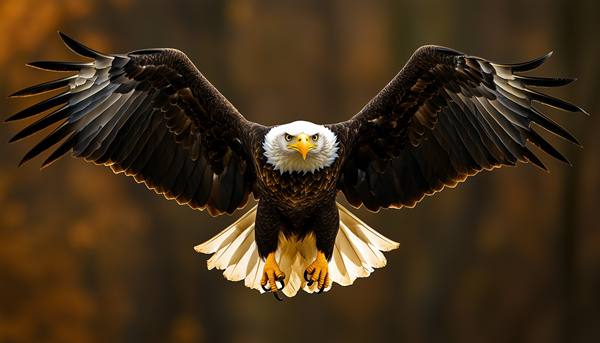
 BEFORE · LOW RESAFTER · 4×
Stock photo demo · Reduced image vs. full-resolution reference
Your photos stay private. Used only to enhance your image.
THREE SIMPLE STEPS
Upscale an image.
Keep the detail.
Bring an image
Pick a photo or illustration. We’ll suggest the right style for it.
Let it level up
We’ll handle the pixels. Enjoy a few loading-screen tips while your image gets its glow-up.
Keep the detail
Keep the page open for a ready notification. Compare the result and download your 4× PNG.
BEFORE YOU UPSCALE
Image upscaling, explained.
What AI can improve, what it can’t recover, and how to get your 4× image.
What does this AI image upscaler do?
It enlarges photos and illustrations to four times their width and height. A 500 × 500 image becomes a 2,000 × 2,000 PNG, with 16 times as many pixels. The model reconstructs details as it enlarges the image.
Can I make a blurry photo clearer?
AI enhancement can reduce some softness and improve the appearance of small photos. It cannot reliably recover information lost to heavy blur, missed focus, or compression. Faces and text may change, so compare the result with your original.
Can I enlarge an image without losing quality?
AI upscaling can make an enlarged image look less pixelated than basic resizing, but unchanged quality is not guaranteed. Reconstructed textures and edges are estimates, not verified original details.
How is an AI photo enhancer different from resizing?
Basic resizing calculates new pixels from their neighbors. An AI model also uses patterns learned from other images to estimate edges and textures. We suggest a photo or illustration model from your image’s color and texture patterns; you can change it before you start.
Can I upscale an image online without logging in?
Yes. Choose your image without an account or email address, then download the 4× result when it’s ready. You can enable a browser notification while this page stays open.
Which image formats can I use?
Choose JPG, PNG, or WebP files up to 20 MB, 1 megapixel, and 2,048 pixels per side. Your result is a PNG at 4× the original width and height. PNG transparency is retained.